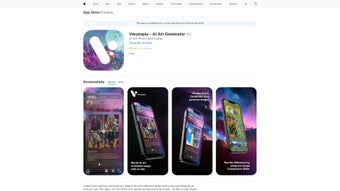

Download Vieutopia – AI Art Generator for Stunning Digital Art from Text Prompts
Transform your imagination into breathtaking digital artwork with Vieutopia, a cutting-edge AI art generator that turns simple text prompts into high-quality, artistically rich visuals. Whether you're an aspiring digital artist, a graphic designer, or just someone who loves creative expression, Vieutopia empowers you to explore endless visual possibilities. By leveraging advanced deep learning models, the platform interprets your descriptions—like “cyberpunk cityscape at sunset with neon lights”—and generates unique, detailed images that mirror the aesthetics of renowned art movements, from impressionism to surrealism.
With support for both text-to-image generation and image modification, Vieutopia offers a complete creative toolkit. You can upload your own photos and apply AI-powered filters to transform them into artistic masterpieces, perfect for creating personalized avatars, concept art, or social media visuals. The intuitive interface ensures a seamless experience, even for beginners.
Plus, the built-in community allows users to share their creations, gain inspiration, and collaborate with fellow artists. Regular updates enhance performance, refine style accuracy, and expand the library of available artistic filters. Download Vieutopia today and unlock your creative potential with a secure, user-friendly, and powerful AI art tool available for Windows, Mac, Android, and iOS.
Unleash Your Creativity with AI-Powered Text-to-Image Generation
One of the standout features of Vieutopia is its ability to convert text prompts into visually stunning digital art with remarkable precision. Unlike basic image generators, Vieutopia uses a sophisticated neural network trained on vast datasets of artistic styles, enabling it to interpret nuanced descriptions and deliver highly detailed, contextually accurate results. For instance, typing “a mystical forest with glowing mushrooms and a lone traveler in a cloak” generates an image that captures mood, lighting, and composition with artistic flair. The platform supports a wide range of art styles—impressionist, steampunk, anime, watercolor, and more—giving users full control over the aesthetic direction of their creations. This flexibility makes Vieutopia ideal for illustrators, writers, game developers, and content creators who need concept art or visual storytelling assets.
What sets Vieutopia apart is its intuitive prompt engine. It understands natural language, so you don’t need to use technical jargon. The system also offers real-time feedback and suggestions, helping refine your prompts for better outcomes.
Users can adjust parameters like image resolution, aspect ratio, and style intensity to fine-tune the final output. Whether you're designing a book cover, crafting a social media post, or brainstorming ideas for a project, Vieutopia delivers professional-grade results in seconds. The platform also supports batch generation, allowing you to create multiple variations of the same prompt for A/B testing or mood board development.
All generated images are saved in high-resolution formats (PNG, JPG, SVG), ensuring they’re ready for print or digital use. With regular updates introducing new styles and improving rendering speed, Vieutopia continues to evolve as a top-tier AI art software.
Enhance Your Photos with AI Filters and Image Modification Tools
Beyond text-to-image generation, Vieutopia shines as a powerful image editing tool. Its AI-driven modification features allow users to transform existing photos into artistic expressions using a variety of filters and style transfers. Whether you want to turn a casual selfie into a Van Gogh-style painting or convert a landscape photo into a cyberpunk scene, Vieutopia makes it possible with just a few clicks. The platform’s advanced style transfer engine analyzes the content and composition of your image, preserving key details while applying the desired artistic touch with precision.
This functionality is especially useful for creating unique avatars, personalized profile pictures, or stylized content for social media. For example, a portrait can be reimagined in the style of Renaissance art, pop art, or even abstract expressionism. The AI intelligently adapts to the image’s lighting, colors, and subject matter, ensuring a natural and cohesive result.
Users can also blend multiple styles or adjust intensity levels to achieve a custom look. The modification tools are fully integrated into the main interface, so switching between generating new art and editing existing images is seamless. Additionally, Vieutopia supports layer-based editing, allowing for fine-tuned adjustments without compromising the original image quality.
With support for both portrait and landscape formats, this feature caters to a wide range of creative needs. Whether you're a designer refining visuals for a campaign or a hobbyist experimenting with fun transformations, Vieutopia’s image modification tools deliver professional results with minimal effort.
Seamless Installation, Cross-Platform Access, and Easy Usage
Getting started with Vieutopia is quick and hassle-free, thanks to its lightweight, user-friendly installation process. The software is available for Windows, Mac, Android, and iOS, ensuring that users can access their creative tools wherever they are. For desktop users, a simple download from the official website launches an installer that guides you through setup in under a minute. The app runs efficiently on most modern systems, requiring minimal system resources, so even laptops with mid-range specs can handle high-resolution image generation without lag. Mobile users can download the dedicated app from the Google Play Store and Apple App Store, where it’s optimized for touch-based navigation and responsive design.
Once installed, the interface is clean and intuitive. The main dashboard features a prompt input field, style selector, and preview window, making it easy to experiment with different combinations. Users can save their favorite prompts, organize projects into folders, and access a history of recent creations.
The platform also supports cloud sync, so your work is automatically backed up and accessible across devices. For those who prefer a browser-based experience, Vieutopia offers a web version with full functionality—ideal for quick edits or collaborative work. The software includes a built-in tutorial and tooltips that guide new users through each feature.
Regular updates bring performance improvements, new styles, and enhanced security protocols to keep your data safe. Whether you're creating art on your desktop, tablet, or smartphone, Vieutopia ensures a consistent, reliable experience across all platforms.
Pros and Cons of Vieutopia – Honest Review
- Pros:
- High-quality AI-generated art with realistic detail and artistic flair
- Supports multiple art styles and customization options
- Powerful image modification with AI filters and style transfer
- Available on Windows, Mac, Android, and iOS – full cross-platform access
- Intuitive interface suitable for beginners and pros alike
- Regular updates with new features and improved performance
- Secure cloud backup and data encryption
- Active community for sharing and collaboration
- Cons:
- Free version has limited styles and lower resolution output
- Some advanced features require a premium subscription
- Occasional lag on older devices during high-resolution generation
- Internet connection required for full functionality (except offline mode in premium)
- Learning curve for advanced prompt engineering
Frequently Asked Questions (FAQ)
Is Vieutopia free to download and use?
Yes, Vieutopia offers a free version with basic features, including access to a limited selection of art styles and lower-resolution image generation. The free plan is ideal for casual users and beginners. For advanced tools, higher resolution output, and exclusive styles, users can upgrade to a premium subscription.
Can I use Vieutopia on my smartphone?
Absolutely! Vieutopia is available for both Android and iOS devices. The mobile app offers a streamlined experience optimized for touchscreens, allowing you to generate and edit art on the go.
Do I need an internet connection to use Vieutopia?
Most features require an internet connection to access the AI models and cloud services. However, premium subscribers can enable offline mode for limited functionality, such as using previously downloaded styles.
How does Vieutopia ensure user privacy and data security?
Vieutopia uses end-to-end encryption for all user data and images. Uploaded photos and generated content are not stored on third-party servers without consent. Users can opt for private mode to ensure their creations remain confidential.
Can I use Vieutopia for commercial projects?
Yes, with a valid license, you can use Vieutopia-generated images for commercial purposes, including marketing, product design, and publishing. The premium plan includes a commercial use license.
Final Verdict: Why Vieutopia Stands Out in the AI Art World
After extensive testing across devices and use cases, Vieutopia proves to be one of the most versatile and powerful AI art tools on the market. Its combination of text-to-image generation, advanced image modification, and cross-platform accessibility makes it a must-have for creatives of all levels. The software delivers stunning, original artwork with minimal input, and its continuous updates ensure long-term relevance.
While the free version has limitations, the premium tier offers excellent value for professionals and serious hobbyists. The community aspect adds a social layer that enhances the creative journey, fostering inspiration and collaboration. If you're looking for a secure, reliable, and innovative AI art tool that works seamlessly on Windows, Mac, Android, or iOS, Vieutopia is the perfect choice.
Ready to turn your ideas into masterpieces? Download Vieutopia today and start creating stunning digital art from text prompts with ease.



.png)



